Start here
In this module you take one thing people find hard to do on a screen, show how it works now, and design a better version. You hand in one PDF, by .
- Set up your deck: a shared folder, one PowerPoint inside it.
- Pick your project: something people find hard to do on a screen, or how they manage without one (A1). Theme ideas can help.
- Capture how it works now: screenshot every step (D1), list and count the steps (A2), and map them in the Flow maker (B4).
- Choose your grid, type and colours in the Gallery, in one sitting (A3 to A5).
- Then join this week’s workshop, and ask your tutor what else to catch up on.
Three stages of one screen
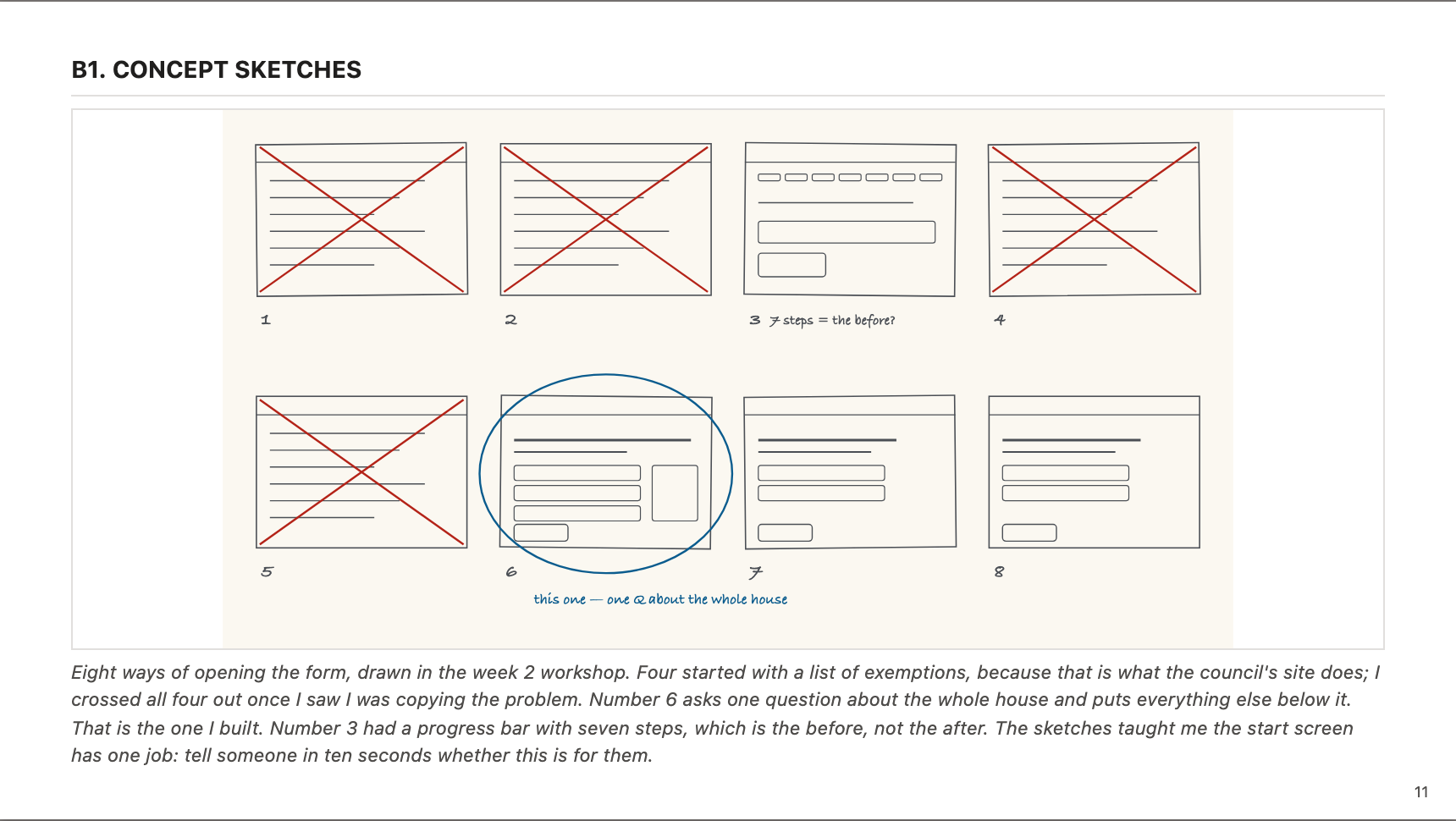
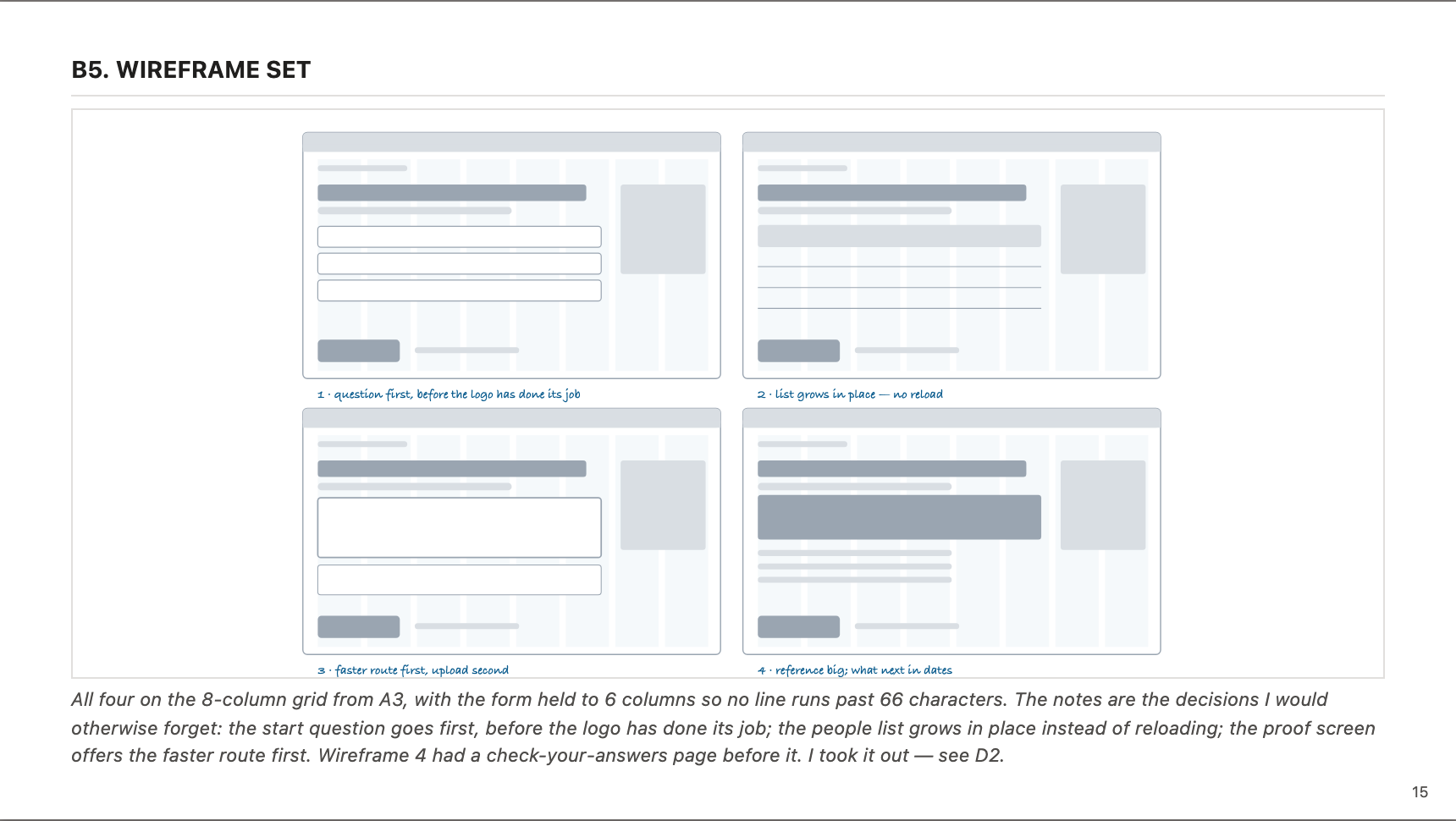
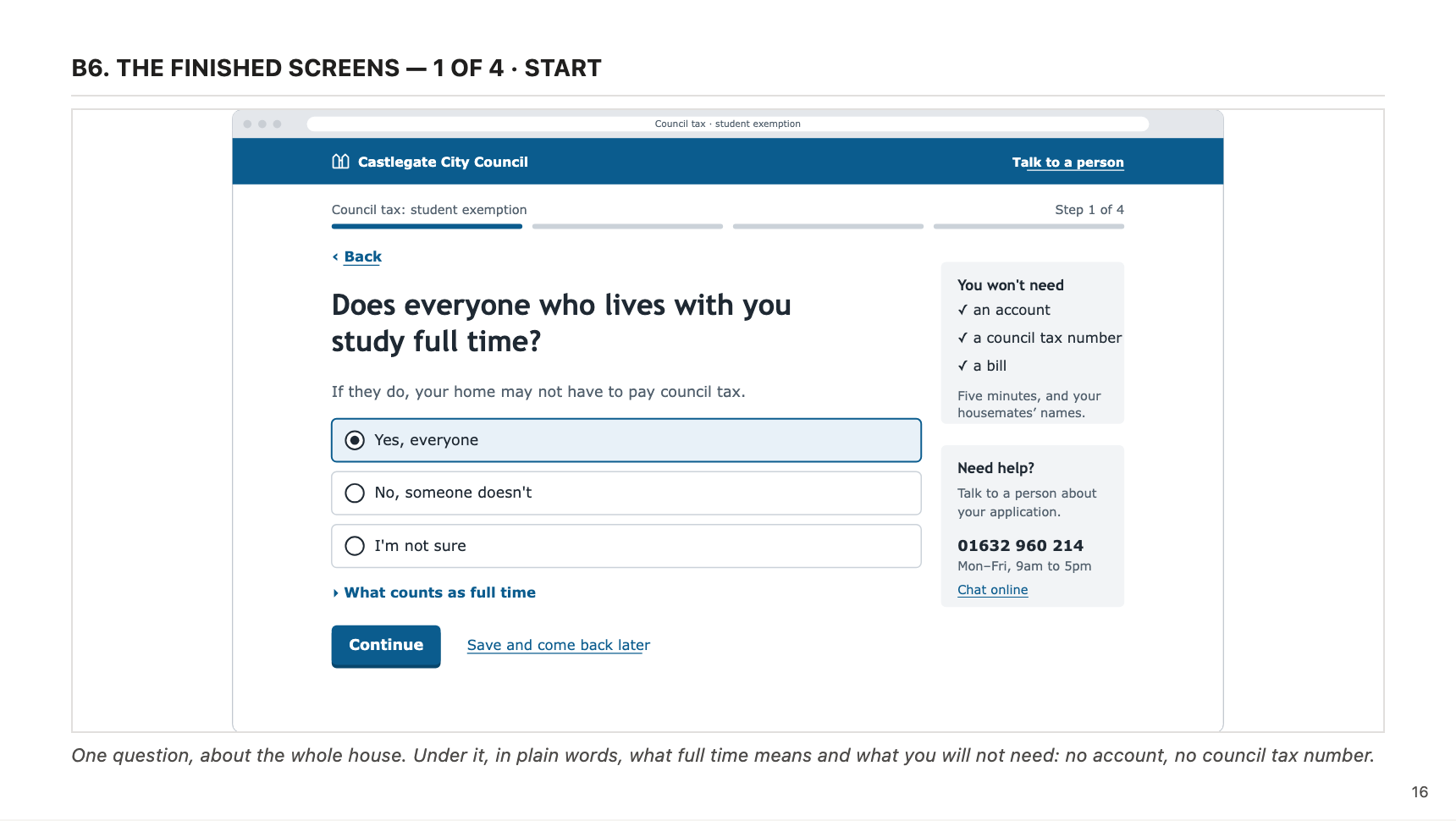
Concept sketch or wireframe? The same kind of drawing, with a different job. A concept sketch finds the idea for one screen; a wireframe draws every screen once, the way you chose. You need all three stages in your deck, even when they look alike: the brief asks for sketches, wireframes and a prototype, and a marker can only credit a step they can see.
From Example 2 on Examples, a made-up council tax form. Copy how it works, not its topic: your project is yours.
A bad experience
In the UK, the local council collects household bins. If yours is missed, you report it on the council’s website.
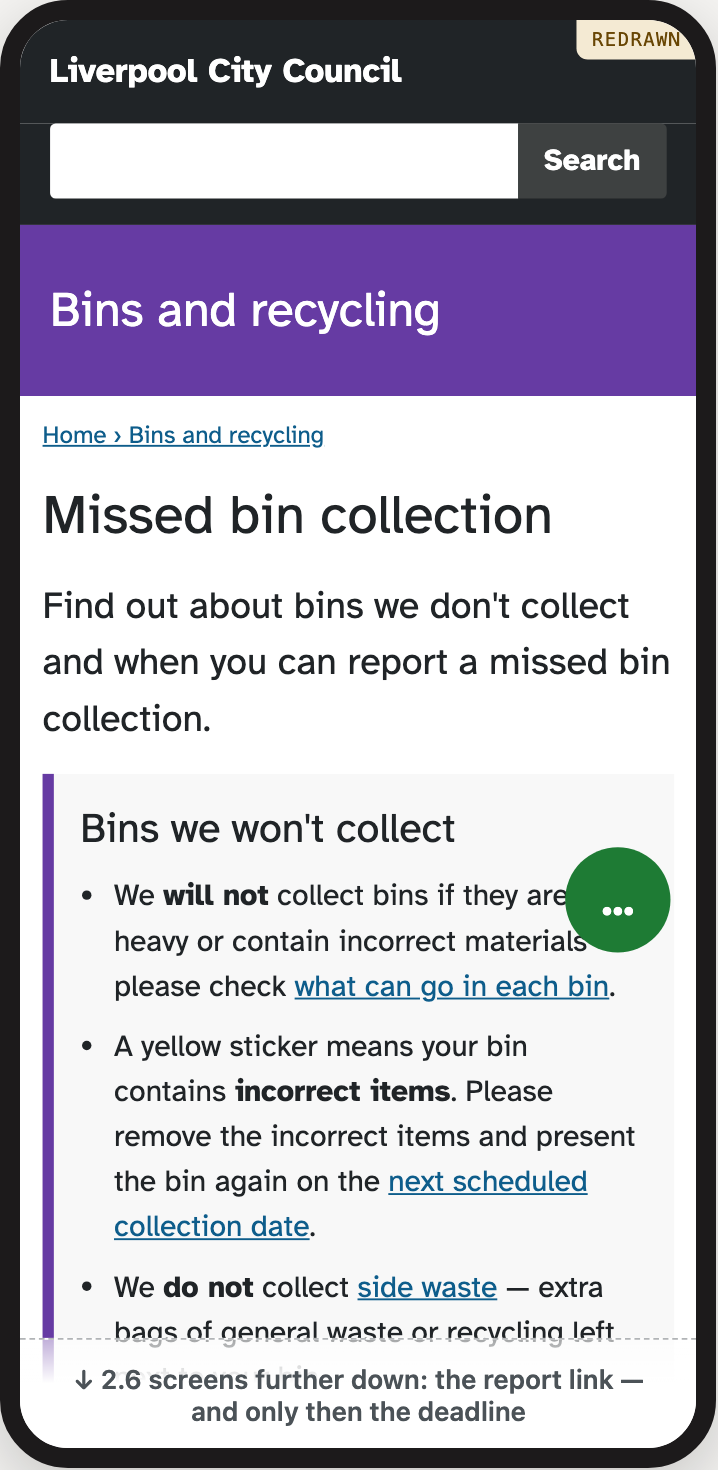
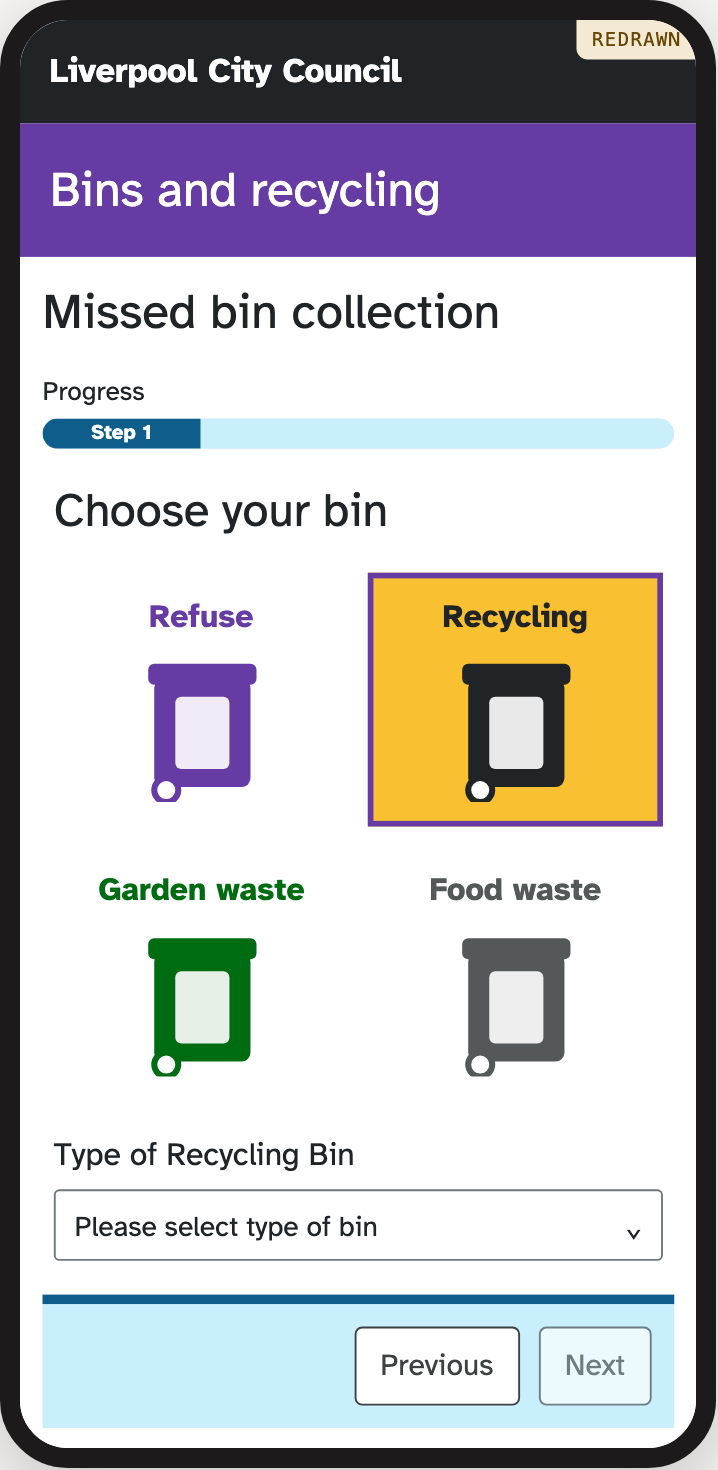
- 1199 words before you can start. The link to report sits 2.6 phone screens down, under the rules for bins they won’t collect.
- 2The deadline comes last. “Report by 2pm on the next working day” is the one rule that matters, and it sits below the link.
- 3Two names for one bin. The page talks about blue and purple bins; the form asks for Refuse or Recycling.
- 4Next will not press, and nothing says why.
The same job, improved
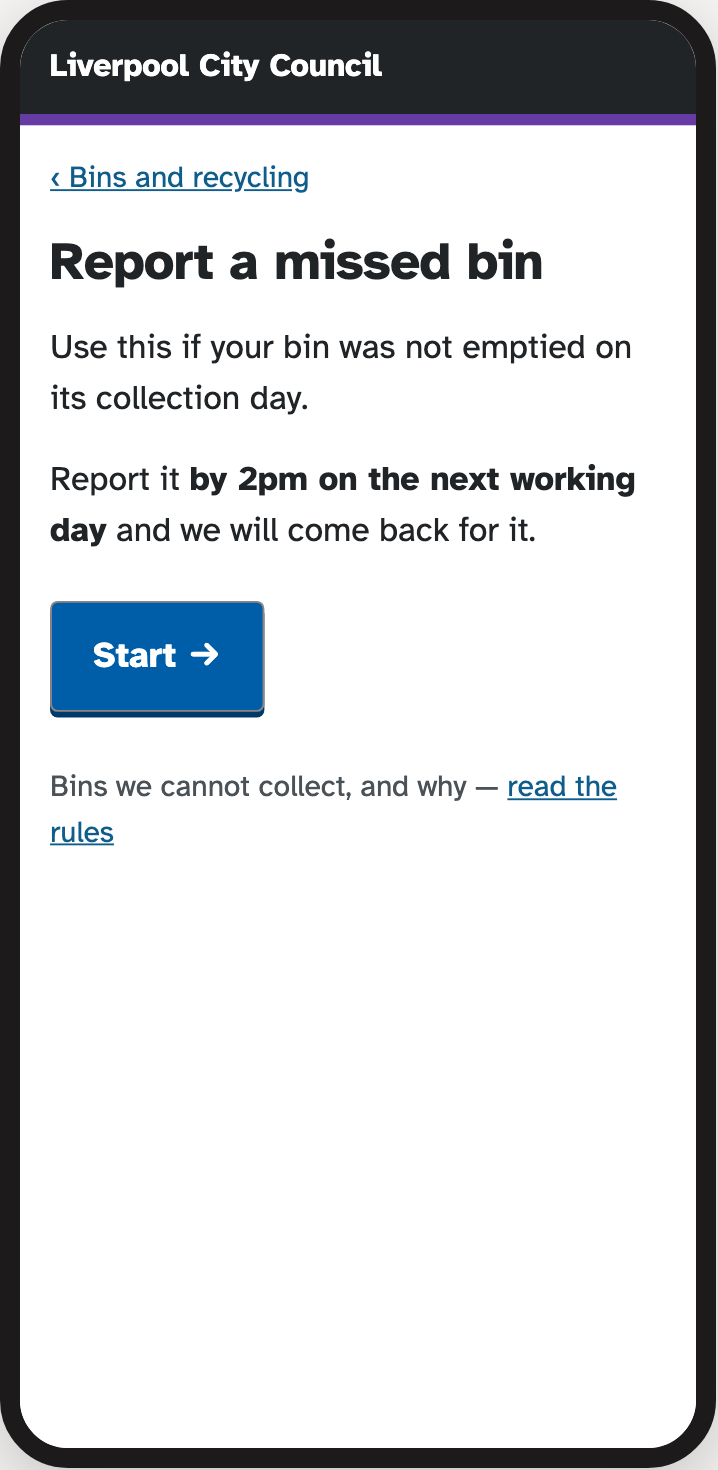
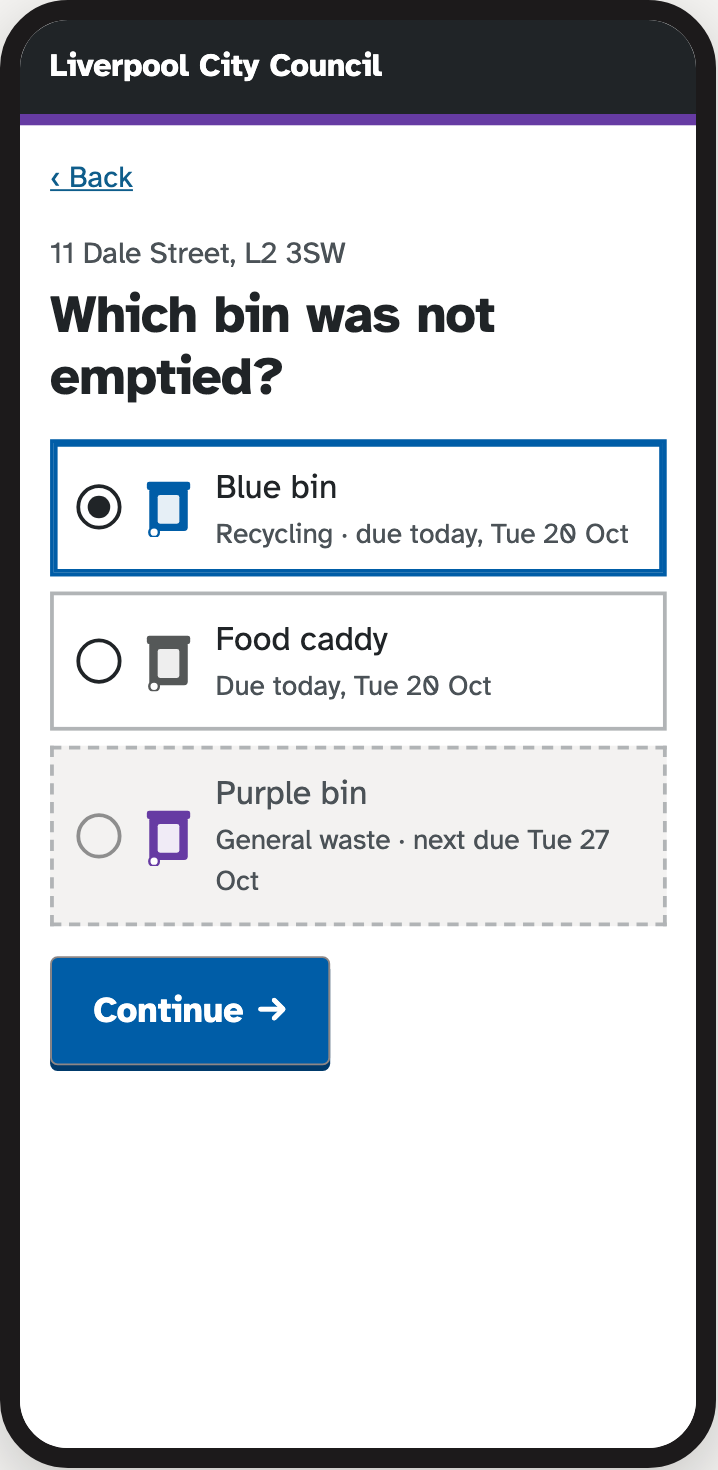
- 1The deadline first, then one button to start.
- 2Only the bins that were due can be chosen, so nobody reports one too late.
- 3Colour and name together: “Blue bin, Recycling”, the words on the street.
| Counted | Now | Improved |
|---|---|---|
| Words before you can start | 199 | 38 |
| Things to fill in or choose | 10 | 4 |
| Taps from the bins page to sending | 17 | 11 |
| Tells you when it will be emptied | no | yes |
A teaching example, not a council design. The whole case, screen by screen.
What you do
- Pick something people find hard to doA website, an app, or how people manage without one: a form, a booking, a message thread.Weeks 1–2
- Show how it works nowScreenshot every step, count it, and mark where people get stuck.Week 5 · process work
- Design a better versionTry ideas as concept sketches, draw every screen as a wireframe, then finish each screen with your own grid, type and colour.Weeks 3–9 · process work
- Link your screensAdd clicks to your PowerPoint so one screen leads to the next. That is your prototype.Week 10 · prototype
- Explain your choices500–700 words on why, with the numbers to back it up.Weeks 2–10 · rationale
Everything goes in one PowerPoint deck, and you hand it in as one PDF.
What you hand in, and where it goes in your deck
| The brief asks for | Your deck |
|---|---|
| 1 · A clickable prototype | B8: your screens, linked so they click through, at any fidelity |
| 2 · Process work | Part A (your numbers), B1 to B5 (sketches to wireframes), Part D (the before and after) |
| 3 · A rationale of 500–700 words | Part C: C1 to C8, about 70–90 words each |