Screen Design

PassReady · week 7

Week 7 · shown in class

PassReady: the screens people meet on their worst day

An app I am building for people preparing for a test they usually get one go at: citizenship, driving theory, radio licences. Many are studying in a second language, against a date they cannot move.

It is a good place to look for this week's idea, because most of its hardest screens are ones a quiz app never bothers to design: not knowing, not being sure, and what to do next.

Screens captured from the current build. The app is in review for Google Play, so there is nothing to download yet.

1 / 5
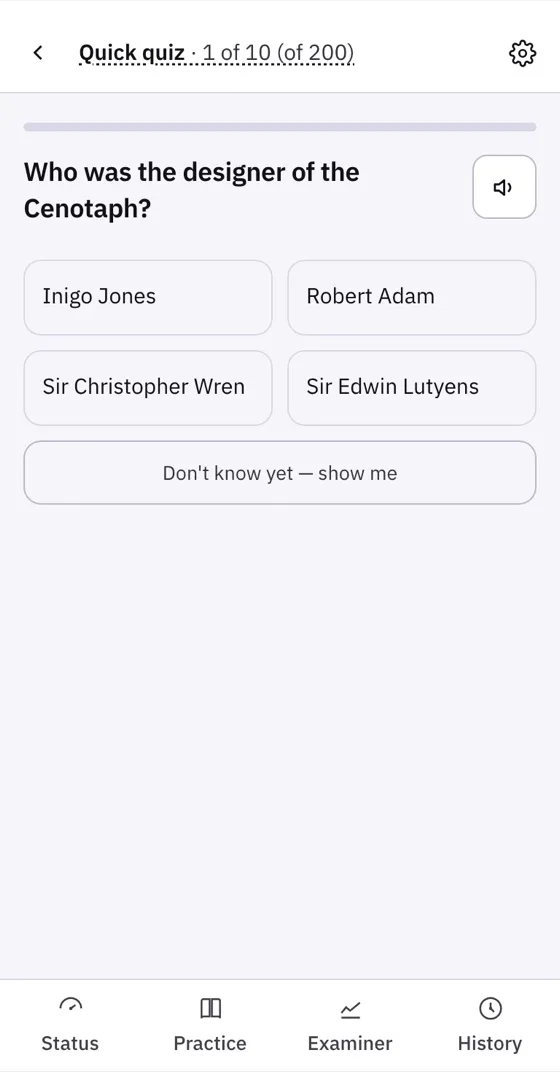
A question screen: who was the designer of the Cenotaph? Four answers, and below them a button: Don't know yet, show me.
A question

State 1 · not knowing

“Don't know yet” is a screen, not a failure

Most quiz apps make you pick one of the four. A lucky guess then looks exactly like knowledge, and the app's picture of you is wrong from the first question.

Here, not knowing has its own button, worded as not yet rather than no. It shows the answer instead of scoring a guess.

For your A2Which of your screens forces someone to pretend they know?
2 / 5

Try it · the pass mark

—pass chance today

State 2 · not sure yet

“Too early to call”

Move the sliders. With few answers the likely range is wide, and while it crosses the pass mark the app refuses to give a verdict.

That refusal is a designed state, with its own words, its own colour and its own next step. Leave it undesigned and the app shows a confident number it has not earned.

Look for itSet 85% right, then add answers slowly. At what point does it commit to a verdict, and what changed?

3 / 5
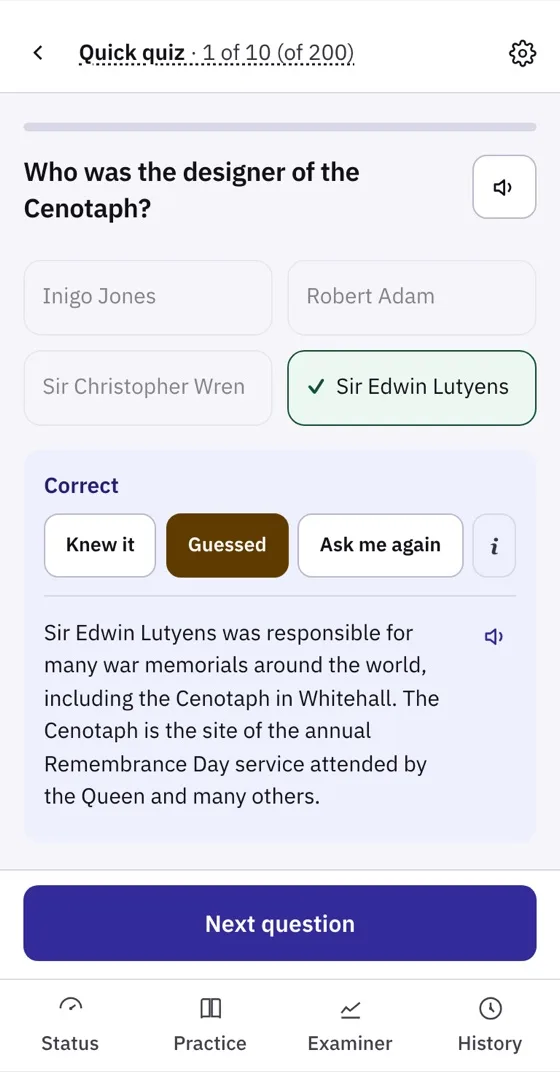
After answering: Correct, with three buttons: Knew it, Guessed, Ask me again, and an explanation of the answer.
After an answer
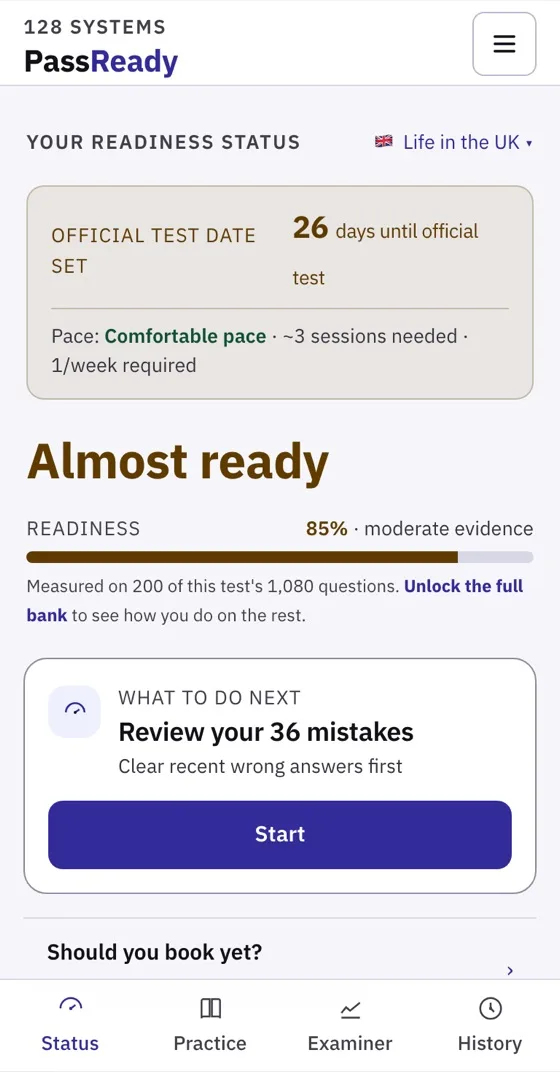
The status screen: Almost ready, readiness 85%, and a card: what to do next, review your 36 mistakes, with a Start button.
Coming back later

State 3 · feedback, then the next action

Say what happened, then what to do next

After an answer: correct or not, then a choice the person makes about themselves: Knew it, Guessed, or Ask me again.

Coming back later, the first thing on screen is not a score but the next action: review your 36 mistakes, and a button that starts it. The same rule as today's empty state: offer the action that moves someone on.

4 / 5

Your turn · in the workshop

Find the worst-day screens in your own app

  • For each screen of your journey in A2, name its empty, loading, error and offline states.
  • Add one more: the state where the system does not know yet. What does it say? What can the person do next?
  • If a state has no words written for it yet, it has not been designed. Write them now, then draw it.

Back to week 7's lecture sheet · the workshop

5 / 5

Switch to the old version